Research, UI Design
Creating New Revenue Stream
by building a more flexible permission system
by building a more flexible permission system
Partipost, 2022
Research
UI Design
Ideating model
Design iteration
Permission panel
Views with different roles
Product Manager
UX Writer
Full-Stack Engineers
• Enabled a self-serve strategy from a business perspective
• Eliminated account-sharing behavior and scenarios where one person used multiple accounts
How might we redesign the permission system to make it flexible and align with business needs for the future?

Operation team-leads expect to control access freely through a permission system to manage their team members and clients’ teams. However, the existing system only offers predefined permissions, limiting operation team-leads to assigning three different roles with fixed permission sets to junior team members and clients.
To understand the extent of this problem, the PM and I started by gathering user feedback and business requirements.
“ Team structure is very dynamic, but we only have predefined permissions. So we usually end up either giving too much power then cause accident or giving too less power then team-lead needs to finish all the works."
- Operation Team-leads“ As a manager in my company, I can’t freely manage my team members but need to wait internal users’ assistance."
- Clients
From the business requirements perspective, our team needs to build a more flexible permission system to meet the needs of both operation teams and clients.To build a solid system that can be used sustainably, we have identified the following needs:
Exploration 1
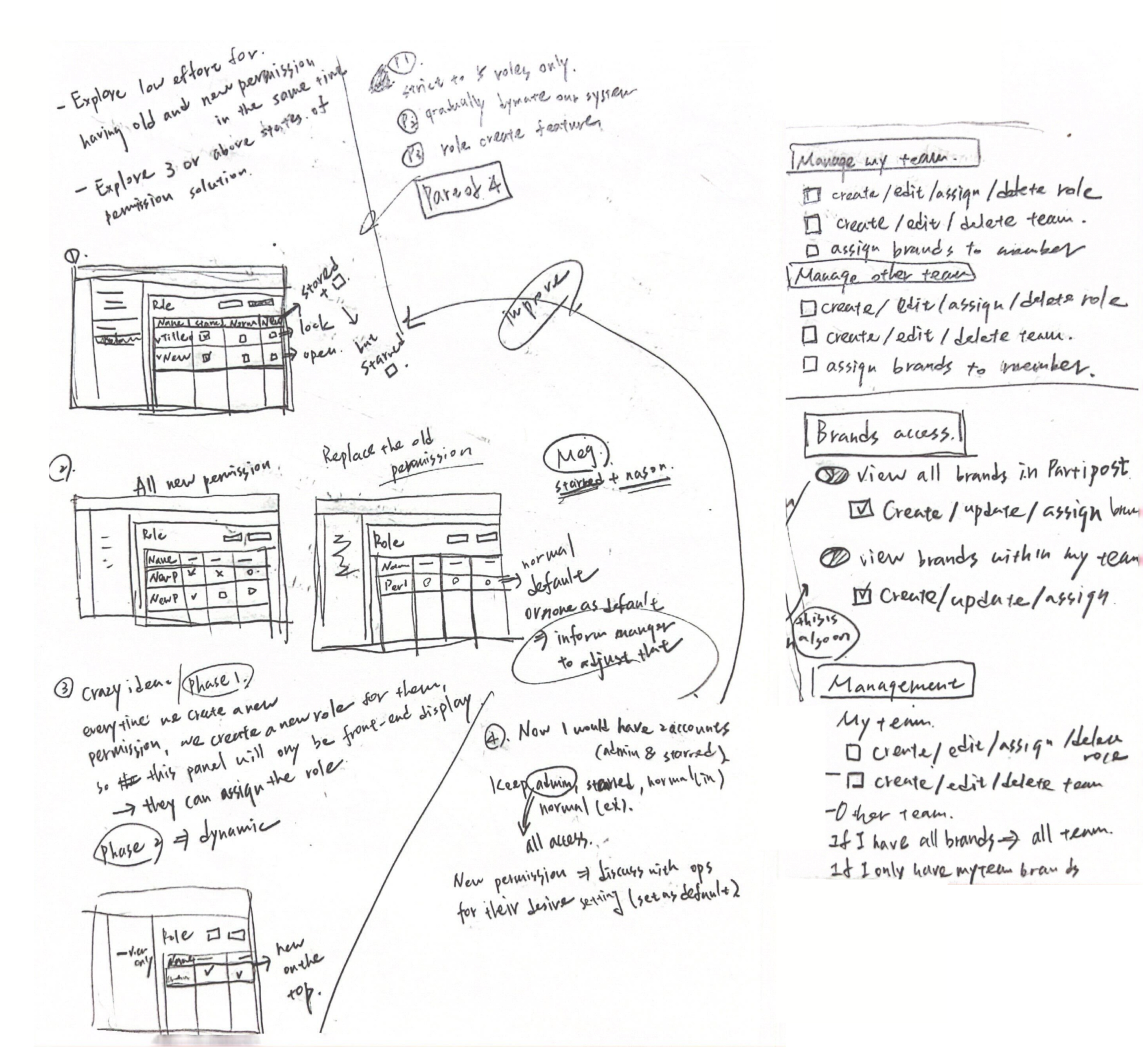
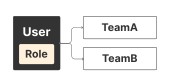
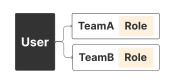
The first approach provides users with a centralized role, granting uniform access across all teams. However, this design fails to address clients’ requirements for differentiated access to various teams.
Exploration 2
The second approach enables users to have distinct permission configurations for each team. While this solution meets the need for flexibility, it imposes additional workload on internal users to coordinate permissions across teams.
Final Design
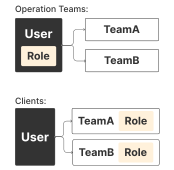
Given the differing needs of the two user groups, our team has decided to implement a dual permission framework with tailored configurations based on account type. For instance, operation teams will have the ability to access and manage all teams under a unified role.
Features to consider when building a permission table:
Exploration 1
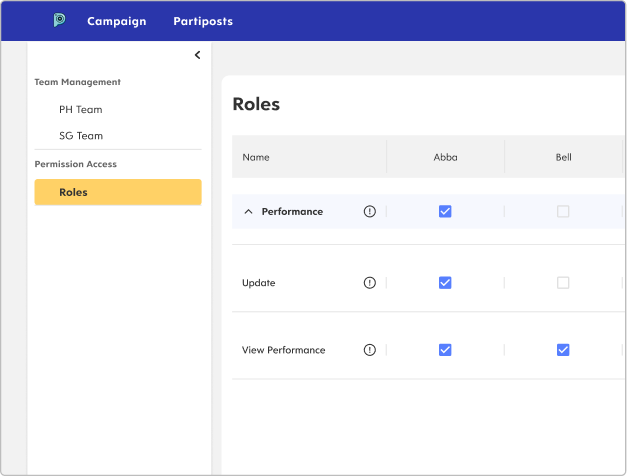
In the initial design, users were provided with convenient access to their assigned teams through the sidebar. However, this approach overlooked the importance of mutually exclusive permissions.
Exploration 2
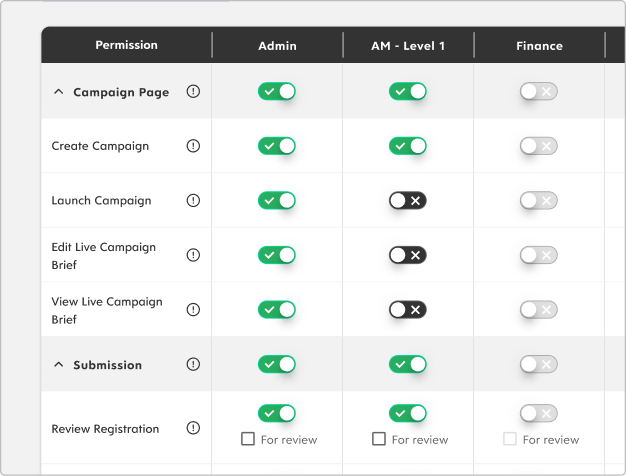
In another iteration, I incorporated toggles to convey the intuitive feeling of enabling permissions. However, toggles often create an expectation of immediate effect (NN/g, 2018).
On our platform, users must configure multiple permissions for different members, review them thoroughly, and then submit changes—this process does not allow for instant updates.
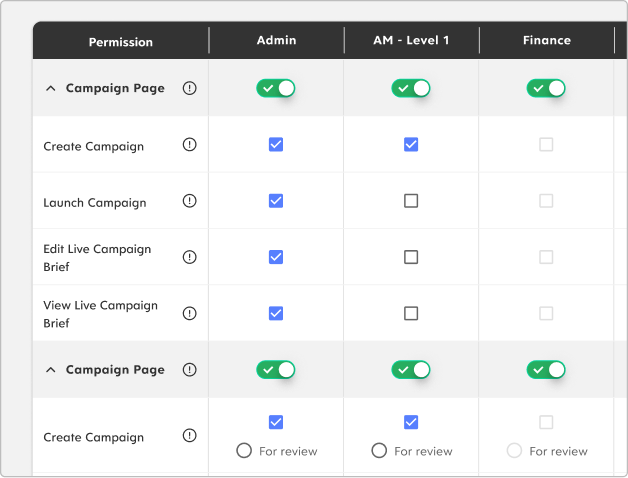
Exploration 3
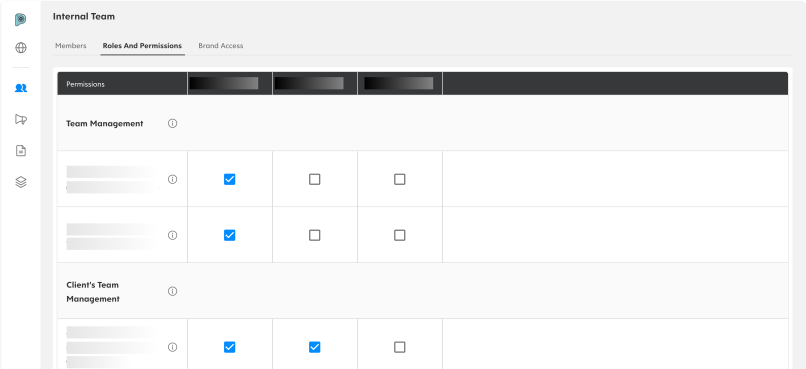
The system's first level employs toggles to determine whether users can access a page. Checkboxes are then used to specify tasks they are authorized to perform within that permission scope.
However, since only a limited number of pages require such access toggles, this setup adds unnecessary complexity by requiring users to enable them manually.
This new permission system achieve:
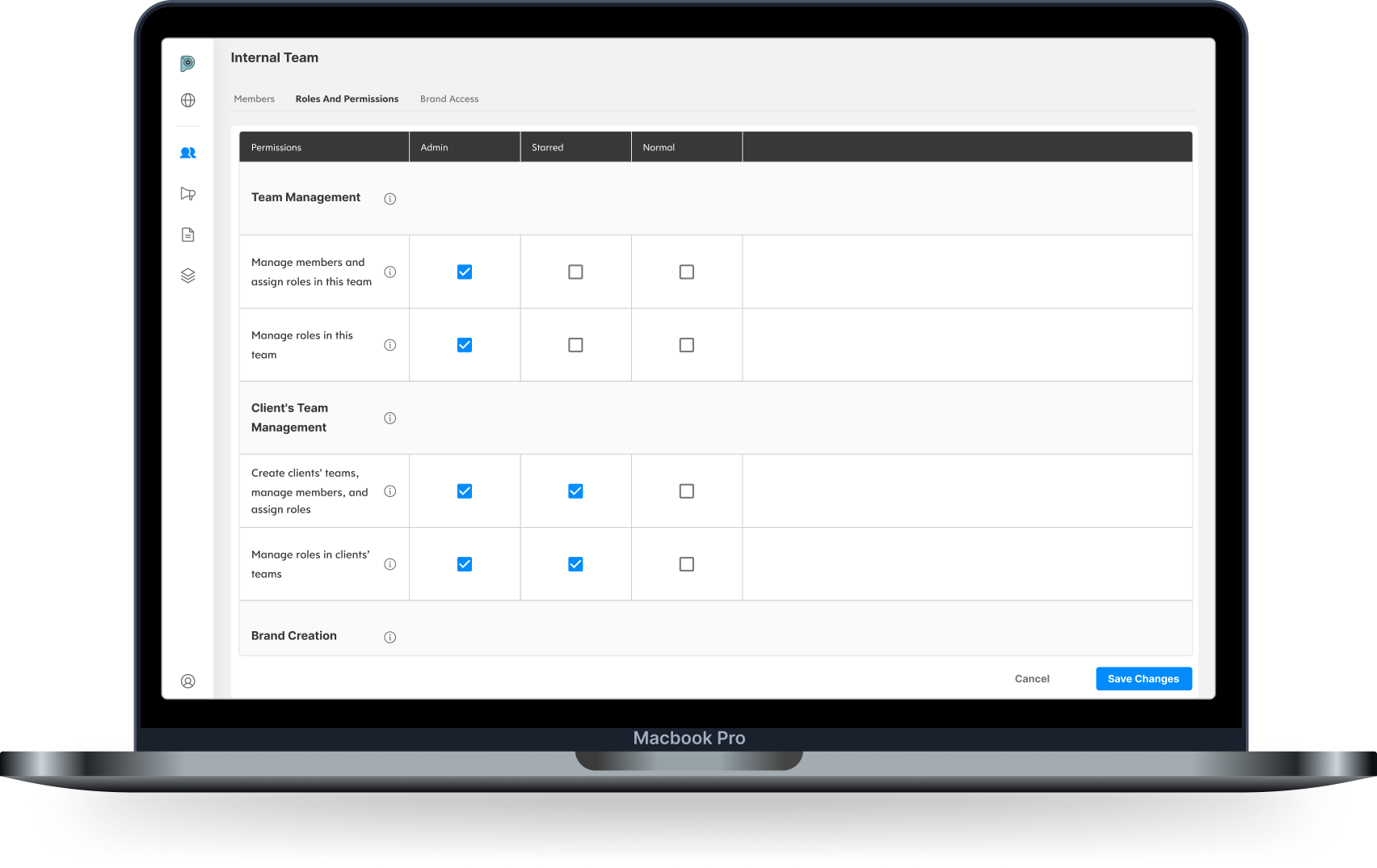
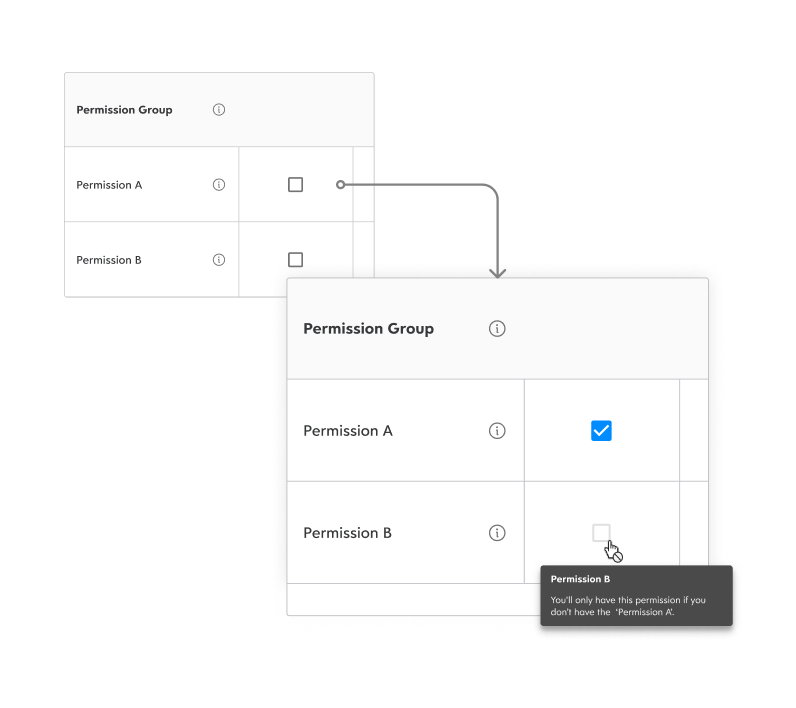
During checking all the permissions, we noticed that there’re some of the permissions are mutually exclusive, which means you can only have one of the permissions.
Furthermore, I found this is suitable to use disabled state. (if users turned off the permission A, then they can enable permission B.)
As a result, we decided to display disabled state for this mutually exclusive scenario. Also, to reduce users’ confusion, we work with UX writer to provide further explanation when user hover on the checkbox.
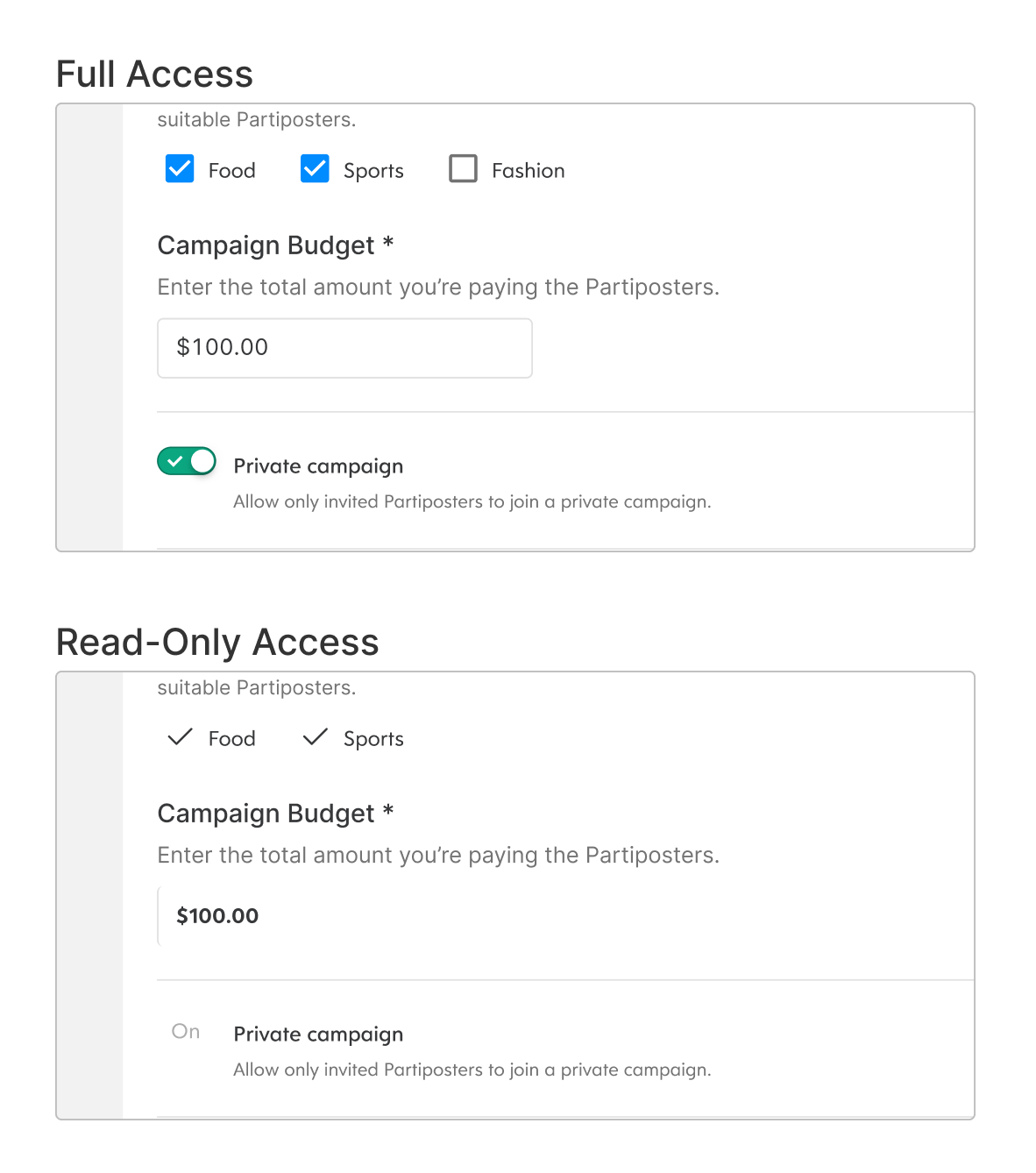
Initially, we planned to use disabled state for users who need to view the page but shouldn’t take any action.
But after I looked up some researches, I realized 2 things: (1) disabled state is usually utilized when the action can be activated if users finish some tasks.(2) disabled state makes users curious on why they can’t take the actions.
Therefore, we decided to introduce read-only state to fit this need, and also let users read the content more smoothly without frustrating on why they can’t take the actions.
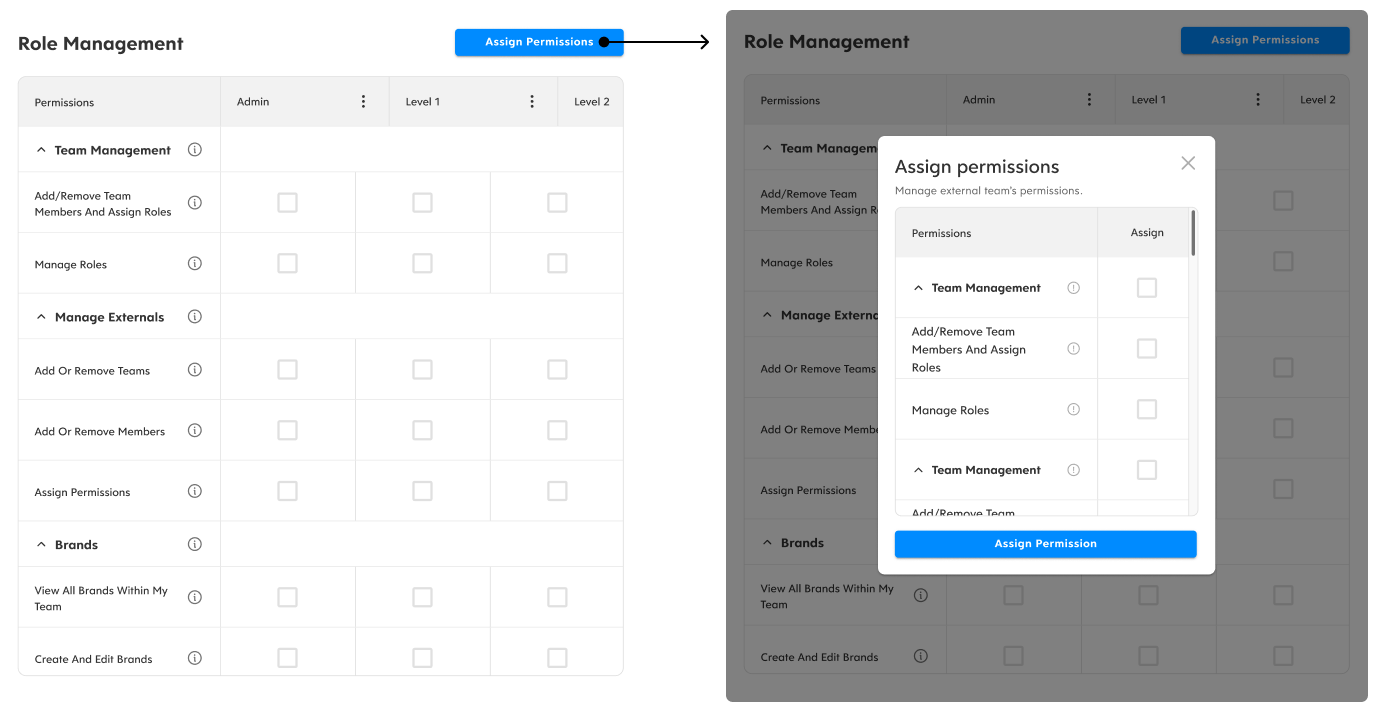
We implement the permission system step by step, prioritizing features based on business needs. At the end of this phase, operation teams will be able to customize permissions for different roles and manage permissions for clients’ teams.
However, the ultimate goal is to enable operation teams to define specific permission sets for external teams. For example, granting Team A permissions 1, 2, and 3, and Team B permissions 3, 4, and 5 based on their agreement with Partipost. To ensure the current solution is flexible enough, I also explored ways to assign permission settings to clients’ teams for future iteration.